How do you verify a vendor bank detail change?
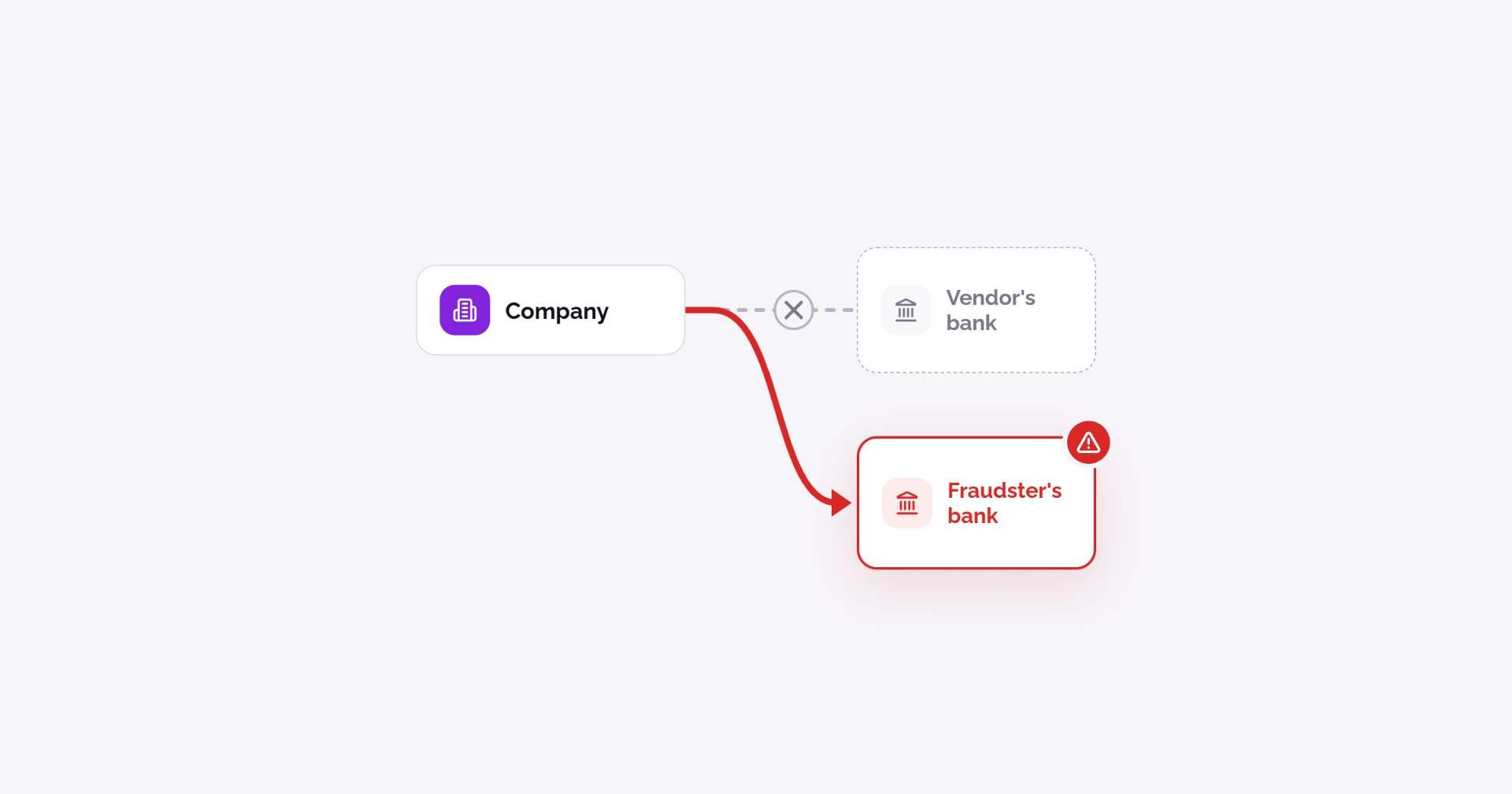
To verify a vendor bank detail change, don't act on the request itself. Confirm it with the vendor through a channel you already trust, verify the new account belongs to them, get a second person to approve it, and hold the first payment until it's checked. Do this every time, for every vendor, no matter who asks. It applies to any vendor bank account change, including "change of bank details" letters and updated ACH forms.
This guide gives you a US checklist you can print, a callback phone script, a log to record each check, and a version for small AP teams with no software. It also covers what to do when a vendor's email has been hacked and what Nacha's 2026 fraud monitoring rules expect from businesses that send ACH payments.
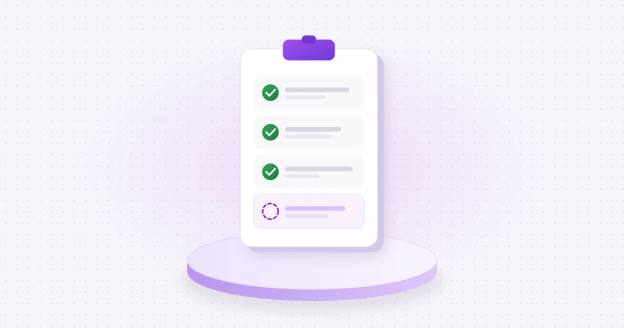
The vendor bank detail change checklist
Print this, or copy it into your AP procedures. Every step happens before the new details are saved in your system.
| # | Step | How | Done |
|---|---|---|---|
| 1 | Log the request | Record who asked, when, and how it came in (email, phone, letter, portal). | ☐ |
| 2 | Freeze payments to that vendor | Hold any scheduled payments until the change is confirmed. | ☐ |
| 3 | Check for red flags | New account at a different bank, urgency, a slightly different email address, a new contact. | ☐ |
| 4 | Find a number you already trust | Use the phone number in your vendor file from before the request, or the vendor's website. Never use one from the request. If you collect bank details through a secure channel, have the vendor resubmit there. | ☐ |
| 5 | Call back and confirm | Ask the vendor to confirm they made the request, and have them read you the bank name and the last 4 digits of the new account. | ☐ |
| 6 | Verify the new account | Confirm the account is open (account validation) and that it belongs to the vendor (ownership verification). | ☐ |
| 7 | Get a second approval | Someone who did not take the request, and who can't release payments, approves the change. | ☐ |
| 8 | Save the change and record the evidence | Update the vendor master data and attach the call log and verification result. | ☐ |
| 9 | Notify the vendor | Tell your existing contact the change was made, using the details you had before. | ☐ |
| 10 | Review the first payment | Have someone check the first payment to the new account before it's released. | ☐ |
If any step fails, don't make the change. Contact the vendor through another known channel and escalate to your controller. Use the same checks for new vendors as part of your vendor onboarding process.
Why are bank detail changes the riskiest moment in AP?
Because one approved change sends every future payment to the wrong account. A fake invoice gets paid once. A changed account on a real vendor keeps getting paid until someone notices.
It's also one of the best-known business email compromise schemes. FinCEN described it in 2016: "A criminal impersonates one of Company C's suppliers to e-mail and inform Company C that future invoice payments should be sent to a new account number" (FinCEN Advisory FIN-2016-A003). A decade later, many companies still aren't fully covered:
Of organizations with business email compromise prevention policies, only 66% had fully implemented them in 2024 (AFP 2025 Payments Fraud and Control Survey, key highlights, p. 10).
Written controls aren't enough if they're skipped. In 2018 the SEC investigated nine public companies tricked by emails from fake executives or fake vendors. In the vendor cases, the companies paid real invoices into accounts the criminals controlled. "Each of the nine issuers lost at least $1 million; two lost more than $30 million," even though their procedures already included "verification of any changes to vendor data" (SEC Report of Investigation, Release No. 84429).
That's why a written check only works if it's followed every time, for every vendor.
What are the red flags on a bank detail change request?
The biggest red flag is any request to send a known vendor's payments to a new account. The Federal Reserve's scam model lists the "business impostor scam" as its own type, part of a group of trust scams where someone is "posing as a business, organization, vendor, agency or other trusted party" (Federal Reserve, ScamClassifier model).
FinCEN's business email compromise advisory lists warning signs for banks reviewing payment instructions. The same signs apply to AP teams reviewing a vendor's request (FinCEN Advisory FIN-2016-A003):
The wording, timing or amounts are different from the vendor's past messages.
The email address is almost right. One character is added, changed or removed from the vendor's real address.
A known vendor, but new account information that's different from what you've always paid.
The request is marked "Urgent," "Secret" or "Confidential."
It arrives with little time to check, such as late Friday or right before a payment run.
More requests follow right after the first payment to the new account.
Add a few that AP teams see often:
The account name doesn't match the vendor's legal name.
The request comes from a new contact you haven't dealt with before.
The sender asks you not to call, or gives a new phone number to "confirm."
FinCEN notes that "no single transactional red flag necessarily indicates suspicious activity." But any one of these is reason enough to run the full checklist.
How do you do the callback?
A callback only works if you call a number the criminal doesn't control. Use the number already in your vendor file from before the request, or one from the vendor's official website. Never use a number from the email, the invoice or the letter asking for the change.
The FBI gives the same advice: "Use secondary channels or two-factor authentication to verify requests for changes in account information" (FBI IC3, Business Email Compromise).
Callback script:
"Hi, this is [your name] from [your company] accounts payable. We received a request on [date] to change the bank account we pay you to. Before we make any change, I need to confirm it with you directly. Did your company send that request?"
If yes: "Can you tell me the name of the bank and the last four digits of the new account number?" (Let them read it to you. Don't read it to them.)
"Who at your company approved the change?"
"Thanks. We'll confirm the account and let you know when the change is made."
If they say they didn't send it, stop. You've just caught an attempted fraud. Tell the vendor their email may be compromised, and keep paying the old account.
If no one answers, leave a message without any account details and try again. Don't make the change until you've spoken to someone you can confirm works there.
What should you record for each bank detail change?
If it isn't written down, you can't show an auditor or your bank that it happened. Keep a record like this for every change, attached to the vendor in your system or saved in a shared log:
| Field | Example |
|---|---|
| Date and time of request | Oct 14, 2026, 4:52 p.m. |
| How it arrived | Email from the vendor's AR contact |
| Vendor and vendor ID | Acme Supply, Inc. (V-1042) |
| What changed | Bank account (old ending 4471, new ending 9038) |
| Number called and where it came from | (555) 010-2200, vendor file since 2023 |
| Person reached and their role | Dana Ruiz, AR manager |
| What they confirmed | Request was theirs; bank and last 4 digits match |
| Account verification result | Ownership confirmed, Oct 15 |
| Entered by / approved by | J. Lee / M. Patel |
| First payment reviewed by | M. Patel, Oct 30 |
Never record full account numbers in email or a shared spreadsheet. The last four digits are enough to show what changed.
How can a small AP team do this without software?
You don't need thousands of vendors or a fraud team to do this well. If AP is one or two people, keep these four rules and you'll cover the basics:
Never change bank details from an email. Every change needs a callback to a number you already had.
Two people touch every change. One takes the request and makes the call. A second person, such as the owner, controller or an outside accountant, approves it. The person who releases payments should not be the one making changes.
Keep a simple log. A shared spreadsheet with the fields above, minus full account numbers, is enough.
Hold the first payment. Pay the new account only after someone has looked at it a second time.
Once a quarter, have someone outside AP look through the log and your vendor file for changes with no record behind them. See segregation of duties for how small teams can split the rest of the work, and our accounts payable internal controls checklist for the full set of AP controls.
For the email side, CISA, the NSA, the FBI and the Multi-State Information Sharing and Analysis Center publish free phishing guidance with a section written for small and medium-sized businesses (CISA, Phishing Guidance: Stopping the Attack Cycle at Phase One).
What if the vendor's email was hacked?
This is the hardest version of business email compromise to catch. When a criminal is inside your vendor's real inbox, the request comes from the right address, in the same email thread, with the right invoice numbers. Checking the sender won't help.
What still works:
The callback. The criminal controls the email, not the phone number you already had on file.
Account ownership verification. The criminal can send you new bank details, but they can't make their account belong to your vendor.
The vendor notification. Telling your existing contact that a change was made gives the real vendor a chance to say "we never asked for that."
If you find out a vendor's email was hacked:
Stop all changes and payments to that vendor until you've spoken to them by phone.
Tell the vendor. They may not know, and their other customers are at risk too.
Check whether any changes or payments went through in the past few weeks.
Treat all email from that vendor as unconfirmed until they say their inbox is secure.
This is a common route to payment diversion fraud, and it's why the checklist doesn't rely on email at any step.
What do Nacha's 2026 fraud monitoring rules expect?
If your business sends ACH payments, Nacha's fraud monitoring rules now apply to you, whatever your size. Phase 1 took effect March 20, 2026 for larger senders. Phase 2 took effect June 19, 2026 (in practice June 22) and removed the volume threshold, so it covers all non-consumer Originators (Nacha, Fraud Monitoring Phase 2).
The rules require "risk-based processes and procedures" to identify payments that are unauthorized or "authorized under False Pretenses," reviewed "at least annually." Nacha defines False Pretenses as a payment caused by someone misrepresenting their identity, their authority to act for another person, or "the ownership of an account to be credited" (Nacha, Fraud Monitoring Phase 1).
Nacha says this covers business email compromise and vendor impersonation, and gives an example of the kind of procedure it means: "change controls regarding payment information and instructions for vendor and payroll payments."
The rules grew out of Nacha's 2022 Risk Management Framework, which focused on "increasing awareness of frauds using credit-push payments, such as business email compromise (BEC) and other impersonation" (Nacha, Fighting Credit-Push Fraud).
Nacha doesn't say how to build those controls. A written checklist like the one above, used every time and reviewed once a year, is a practical way to show you have one. Talk to your bank about what it expects from you.
What should you do if you already paid the new account?
Move within hours. The sooner the banks know, the better the chance the money is still there.
Call your bank's fraud line. Give them the payment details and ask them to contact the receiving bank right away. For ACH payments, your bank can ask for the money back, but the other bank doesn't have to agree. See can ACH payments be reversed.
Report it to the FBI at ic3.gov. The FBI's Financial Fraud Kill Chain worked 3,900 incidents in 2025 involving $1.16 billion in attempted theft (FBI IC3 2025 Internet Crime Report). It only helps if you report fast.
Change the vendor record back to the last verified account, and stop all payments to the new one.
Call the real vendor on a number you already had. They still need to be paid, and they need to know their email may be compromised.
Save everything: the request, emails, call log and payment records.
Tell your insurer if you have crime or cyber coverage. Many policies have notice deadlines.
Then go back through the checklist and find the step that was skipped.
How does Coffr help verify bank detail changes?
Coffr replaces the email part of a bank detail change. Instead of accepting new details by email or PDF, you send the vendor a secure link. They share their bank details through Coffr's secure channel, and Coffr verifies the person sharing them and confirms the account belongs to your vendor before the details reach your team. Your vendors don't need to create an account.
Each verification is recorded on an immutable blockchain ledger, which gives you the record auditors and your bank look for.
See how Coffr can verify your next vendor bank detail change. Book a demo.
Frequently asked questions
Call the vendor back on a number you already had, never one from the request. Then confirm the new account belongs to them, have a second person approve the change, and review the first payment before it goes out.
It confirms the request is real, but not that the account belongs to your vendor. A callback plus <a href="https://getcoffr.com/blog/research-and-data/what-is-bank-account-ownership-verification">ownership verification</a> covers both.
No. If the vendor's inbox is hacked, the email comes from their real address. Treat every emailed change as unconfirmed until you've called back.
No. Nacha requires risk-based procedures to catch payments made under false pretenses, and it leaves the method to you. A callback is a common, low-cost way to help meet that expectation.
Someone other than the person who took the request, and never anyone who can also release payments.
Usually a day or two at most. A callback takes a few minutes. Instant account verification takes seconds; micro-deposits take one to two business days. Hold payments to that vendor until it's done.
Sources
- Nacha, Risk Management Topics: Fraud Monitoring Phase 1
- Nacha, Risk Management Topics: Fraud Monitoring Phase 2
- Nacha, Fighting Credit-Push Fraud
- SEC Report of Investigation, Release No. 84429 (October 16, 2018)
- FinCEN Advisory FIN-2016-A003: E-Mail Compromise Fraud Schemes
- FBI IC3, Business Email Compromise
- FBI IC3 2025 Internet Crime Report
- CISA, Phishing Guidance: Stopping the Attack Cycle at Phase One
- Federal Reserve, ScamClassifier model
- AFP 2025 Payments Fraud and Control Survey, key highlights
About the author

Operations Coordinator at Coffr
James Pickren covers payment fraud for Coffr, researching real fraud cases and working with finance teams on how they verify vendor payments.
LinkedInHow we research and correct our work: editorial standards · all questions answered